Project
- Stars
- Started
- Issues
- License

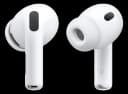
Keep AirPods in stereo by choosing another microphone
MicLock watches macOS audio-device changes and restores your chosen microphone when the system selects the AirPods microphone. Keeping AirPods as output only avoids the lower-quality two-way Bluetooth mode.
You need an Apple Silicon Mac and a separate input, such as the built-in or a USB microphone. The README calls several AirPods generations supported, but the detailed compatibility document labels those combinations expected.
How did it go? Tips, problems, questions…
Keep AirPods in stereo by choosing another microphone
MicLock watches macOS audio-device changes and restores your chosen microphone when the system selects the AirPods microphone. Keeping AirPods as output only avoids the lower-quality two-way Bluetooth mode.
You need an Apple Silicon Mac and a separate input, such as the built-in or a USB microphone. The README calls several AirPods generations supported, but the detailed compatibility document labels those combinations expected.
WantbeFree
8 followers · joined Dec 2009
Feedback
How did it go? Tips, problems, questions…