Project
- Stars
- Started
- Issues
- License
Control and monitor your 3D printer in a browser
OctoPrint connects to a supported printer by USB and gives it a local web interface. You can upload print files, start and pause jobs, watch temperatures and inspect the toolpath; an optional webcam adds a live view.
Run it on a Raspberry Pi or another supported host that stays on during the print. Compatibility depends on the printer’s serial interface and firmware, so use the setup notes for your exact model and board.
Prusa’s USB setup guide covers MINI+, MK4 and CORE One as well as older supported models. Check its firmware-specific pause and cancel configuration. USB streaming on the newer models does not retain every printer feature, including Power Panic and crash detection where fitted.
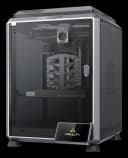
Creality 3D printers
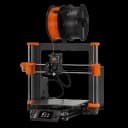
Prusa 3D printers
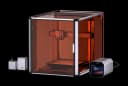
Snapmaker machines
How did it go? Tips, problems, questions…
Control and monitor your 3D printer in a browser
OctoPrint connects to a supported printer by USB and gives it a local web interface. You can upload print files, start and pause jobs, watch temperatures and inspect the toolpath; an optional webcam adds a live view.
Run it on a Raspberry Pi or another supported host that stays on during the print. Compatibility depends on the printer’s serial interface and firmware, so use the setup notes for your exact model and board.
Prusa’s USB setup guide covers MINI+, MK4 and CORE One as well as older supported models. Check its firmware-specific pause and cancel configuration. USB streaming on the newer models does not retain every printer feature, including Power Panic and crash detection where fitted.
OctoPrint
On GitHub
Feedback
How did it go? Tips, problems, questions…