Project
- Stars
- Started
- Issues
- License
Use your mesh radio from a browser
Meshtastic Web lets you send messages, see nodes and available position or telemetry data, and adjust radio settings from a browser. Open the hosted client or host it yourself, then connect by a method your radio and browser support.
Use Chrome or Edge for the widest compatibility. RAK4631 and Heltec T114 can use USB serial or Bluetooth; T1000-E uses Bluetooth. These nRF52 models do not provide the Wi-Fi HTTP connection used by ESP32 radios.
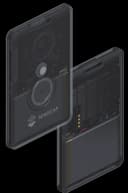
Meshtastic LoRa radios
RAK4631 with RAK19007, Seeed Card Tracker T1000-E, and Heltec Mesh Node T114
RAK4631 with RAK19007 and Heltec Mesh Node T114: USB serial or compatible Bluetooth browser
Seeed Card Tracker T1000-E: Bluetooth only; charging cable is not USB data
How did it go? Tips, problems, questions…
Use your mesh radio from a browser
Meshtastic Web lets you send messages, see nodes and available position or telemetry data, and adjust radio settings from a browser. Open the hosted client or host it yourself, then connect by a method your radio and browser support.
Use Chrome or Edge for the widest compatibility. RAK4631 and Heltec T114 can use USB serial or Bluetooth; T1000-E uses Bluetooth. These nRF52 models do not provide the Wi-Fi HTTP connection used by ESP32 radios.
meshtastic
On GitHub
Meshtastic LoRa radios
RAK4631 with RAK19007, Seeed Card Tracker T1000-E, and Heltec Mesh Node T114
RAK4631 with RAK19007 and Heltec Mesh Node T114: USB serial or compatible Bluetooth browser
Seeed Card Tracker T1000-E: Bluetooth only; charging cable is not USB data
Feedback
How did it go? Tips, problems, questions…