Project
- Stars
- Started
- Issues
- License
Use Omada readings in home automations
This Home Assistant integration brings Omada clients, access points, switches and gateways into the home automation app. It uses the controller’s Open API for network readings, presence and supported controls such as PoE or device restart. Install it through HACS on a separate Home Assistant host.
Your controller must expose Open API and have suitable application credentials. The project confirms OC200 support on controller version 6.2.10.18; check the actual API menu on your firmware. Start with monitoring permissions. Controls need write access and compatible managed equipment, and the free cloud Essentials controller does not provide this API.
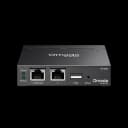
TP-Link Omada networking
Omada OC200 (partly) and Omada OC300 (partly)
Omada OC200: Open API required; confirmed on controller 6.2.10.18.
Omada OC300: Enable Open API; controls need write permissions.
How did it go? Tips, problems, questions…
Use Omada readings in home automations
This Home Assistant integration brings Omada clients, access points, switches and gateways into the home automation app. It uses the controller’s Open API for network readings, presence and supported controls such as PoE or device restart. Install it through HACS on a separate Home Assistant host.
Your controller must expose Open API and have suitable application credentials. The project confirms OC200 support on controller version 6.2.10.18; check the actual API menu on your firmware. Start with monitoring permissions. Controls need write access and compatible managed equipment, and the free cloud Essentials controller does not provide this API.
bullitt186
On GitHub
TP-Link Omada networking
Omada OC200 (partly) and Omada OC300 (partly)
Omada OC200: Open API required; confirmed on controller 6.2.10.18.
Omada OC300: Enable Open API; controls need write permissions.
Feedback
How did it go? Tips, problems, questions…